

Transaction details
The Transaction Details pop-up shows how the payment gateway processed a transaction. To open it, click a Transaction Unique ID on the Billing Events tab. See Display related transactions for an order.
In the live environment, an approved transaction has a Result Code of 000.000.000.
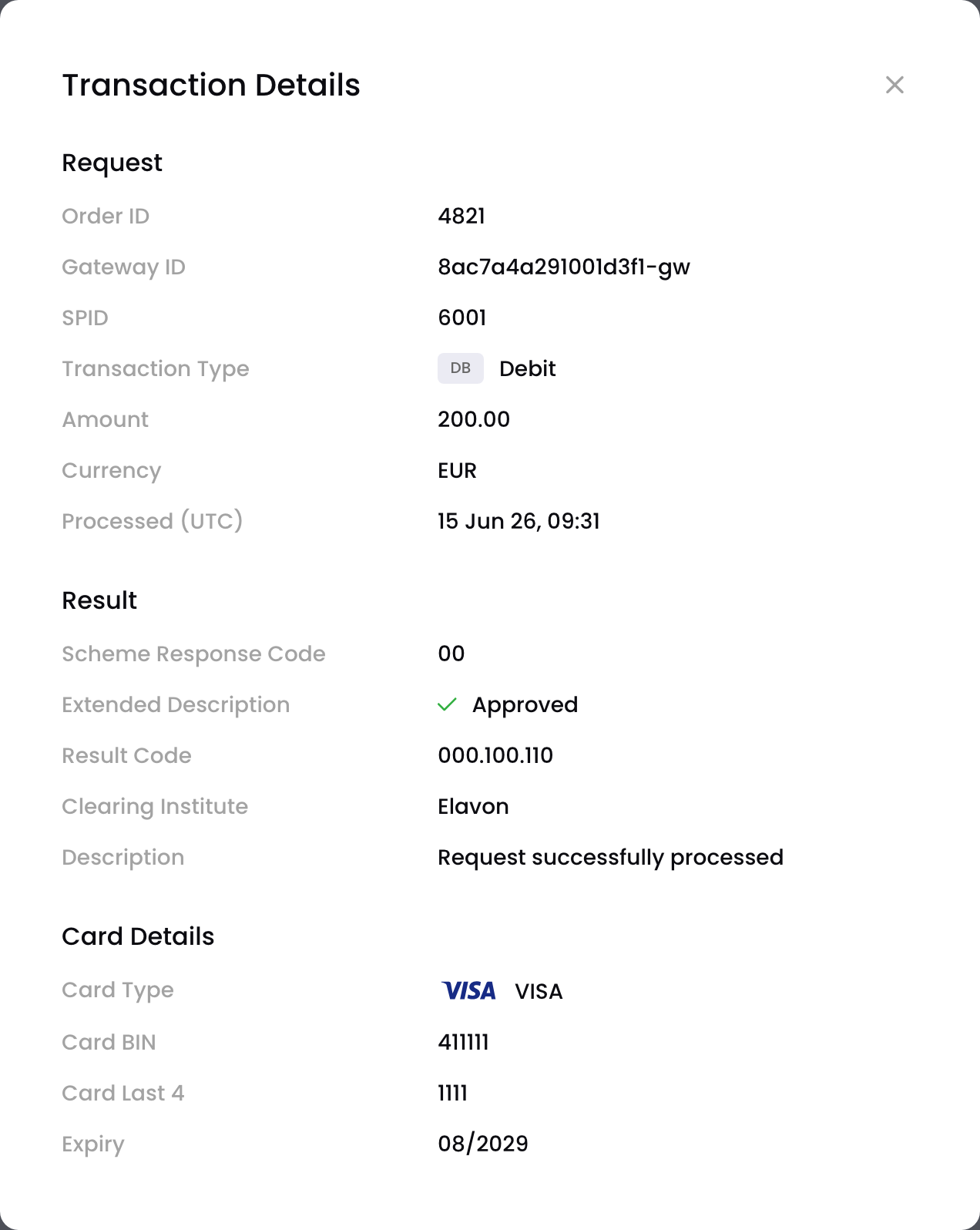
Details of an approved transaction
| Section | Field | Description |
|---|---|---|
| Request | Order ID | BillPro's unique ID for the order |
| Gateway ID | The gateway's ID for the transaction | |
| Reference ID | The gateway ID of a related earlier transaction. For a refund, this is the debit it refunds. | |
| SPID | BillPro's ID for the scheduled payment on an instalment, subscription or metered order | |
| Transaction Type | See Transaction types | |
| Amount | The amount debited from or credited to your merchant account | |
| Currency | The transaction currency | |
| Processed (UTC) | When the transaction was processed | |
| Result | Scheme Response Code | The card scheme's response code. See Declined transactions. |
| Extended Description | More detail on the response | |
| Result Code | The gateway's result code. See the gateway result codes. | |
| Clearing Institute | The transaction processor | |
| Description | The gateway's description of the result | |
| Card Details | Card Type | Visa or Mastercard |
| Card BIN | The first six digits of the card number | |
| Card Last 4 | The last four digits of the card number | |
| Expiry | When the card expires, as MM/YYYY | |
| 3D Secure | ECI | The authentication result code from the ACS or DS |
| Version | The 3D Secure version used | |
| Auth Type | The type of authentication the ACS used | |
| Verification Id | Proof that the authentication happened | |
| DS Transaction Id | The transaction's ID in the directory server | |
| ACS Transaction Id | The transaction's ID in the access control server | |
| Challenge Mandated Indicator | Whether a 3DS challenge was required: Y or N |
The 3D Secure section only appears for 3DS-verified transactions.
Updated about 1 month ago
Did this page help you?