

Create customers
Create a customer in the user interface
Customers are at the centre of BillPro. Each order belongs to a customer, and a customer's account holds their cards, orders and notes.
You can create customers one at a time in BillPro, import them from a CSV file, or create them with the Customers API.
Create a customer
A customer needs a first name, last name, email, postal code and country. The rest is optional.
- Open Add Customer in one of these ways:
- On the navigation bar, go to Customers and click + at the top right of the list.
- On the navigation bar, click + and select Add Customer.
- While you create an order, click + beside the Customer field. See Create orders.
- Under Details, enter the First Name, Last Name and Email. BillPro sends notifications and payment links to this email.
- Optional details:
- Customer ID: your own ID for the customer. If you leave it blank, BillPro creates one. BillPro also gives every customer its own internal ID.
- Phone Number: pick the country, then enter the number. You need it to send payment links by SMS.
- Date of Birth.
- Add Tags: labels for your own use, such as
VIP. Customers don't see them. You can use the same tags on orders.
- If the customer represents a company, turn on Organisation and enter the Organisation Name. You can also add the Registration Number, Website URL, VAT/TAX ID and a Description.
- Under Billing Address, enter the Postal Code and Country. Street, City and State are optional.
- If the customer's shipping address is different, turn on Shipping Address and enter it, or select Same as Billing Address.
- Click Add.
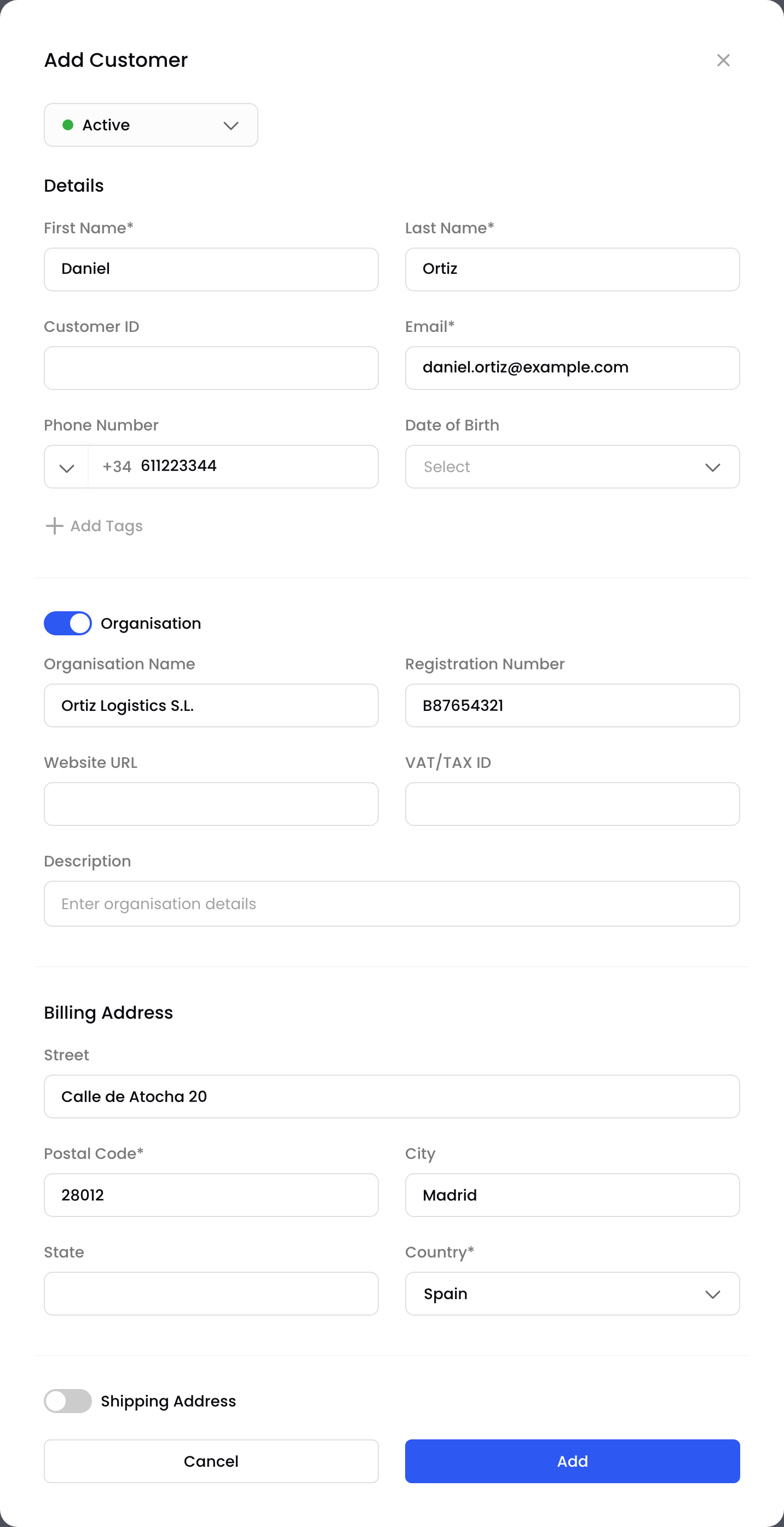
Add a customer
BillPro creates the customer account and shows Customer successfully created. The customer appears in the Customers list.
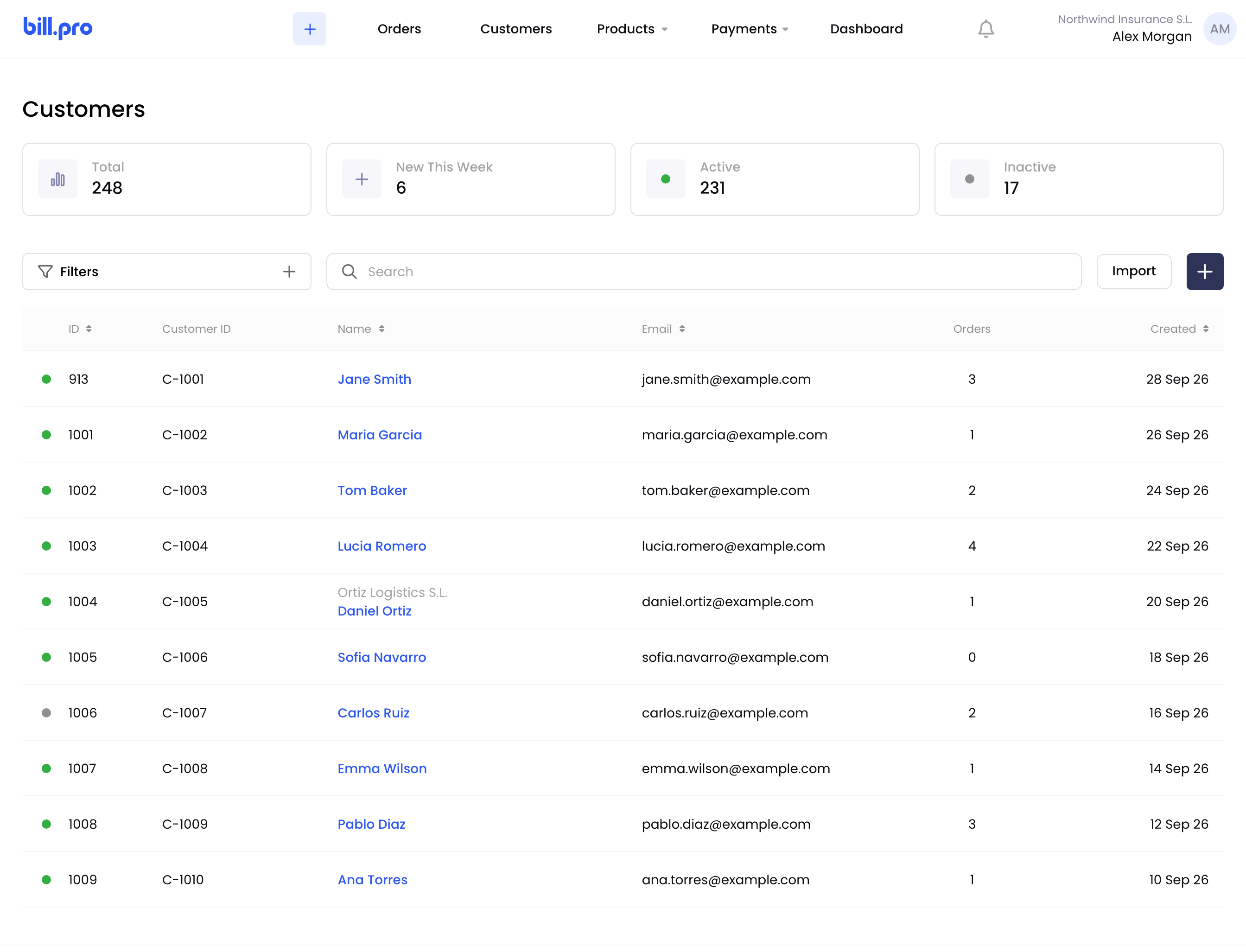
The Customers list
The cards at the top count all, new, active and inactive customers. A green dot beside a customer means active, and a grey dot means inactive. To find a customer, use Search, or click Filters and choose a Status.
Updated 3 days ago
Recommended reading
Now you can also import customers from CSV files, or create them using the API. Then create a product catalogue.