

Display card registration details
When a card is registered for an order, BillPro gets a registration ID: a secure token that stands for the card in later payments. An order with recurring payments also has a CIT ID, the ID of the first customer-initiated transaction. Later payments are merchant-initiated and each has its own MIT ID.
To see the card on an order:
- Open the order. See Display order details.
- Click the Cards tab.
Card Used shows the card on the order, with its CIT ID, Registration ID and Holder. Registered Cards lists the customer's other cards.
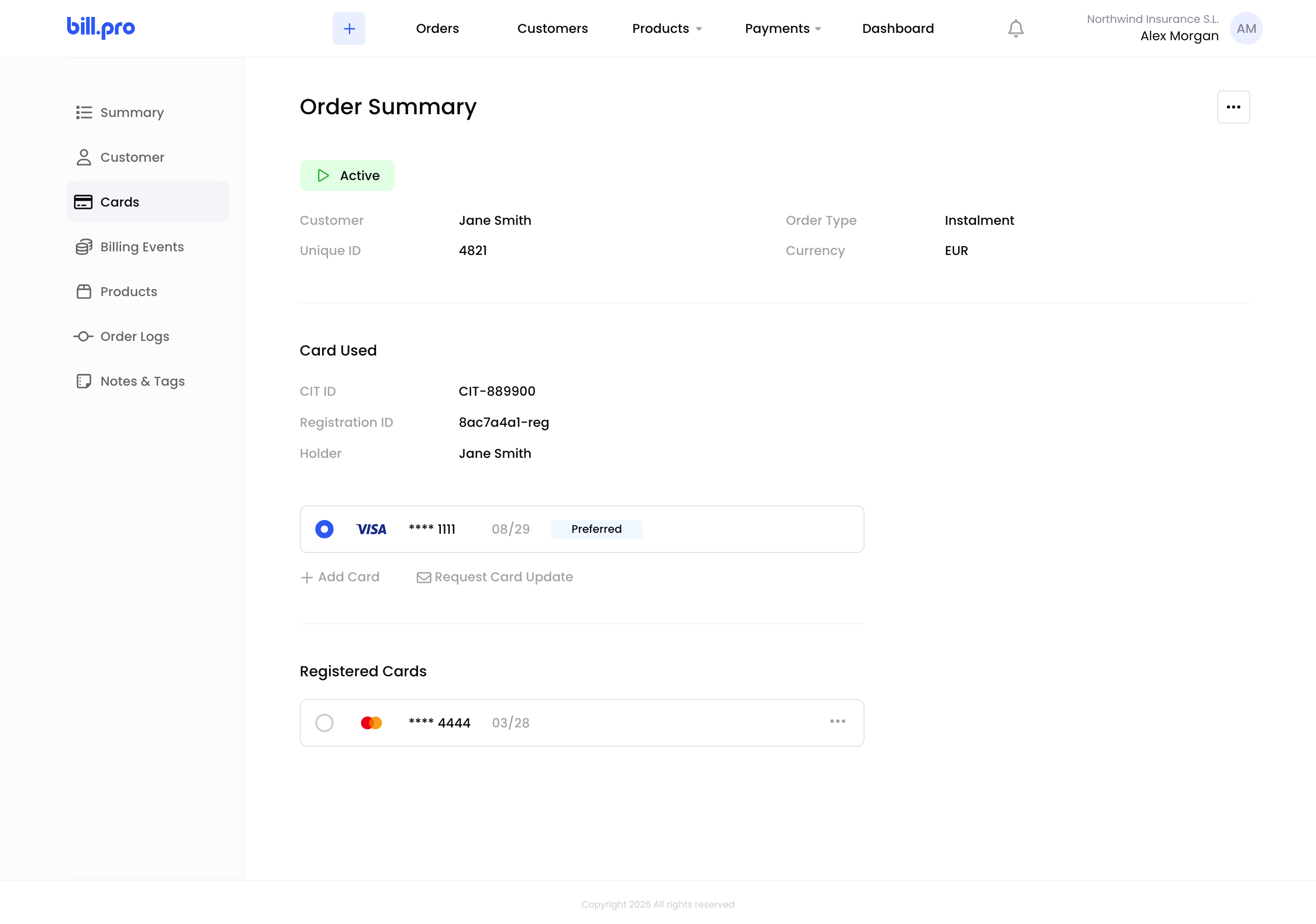
The card on an order
Each card registration also appears in the Order Logs tab, so you can still see earlier cards after the card changes.
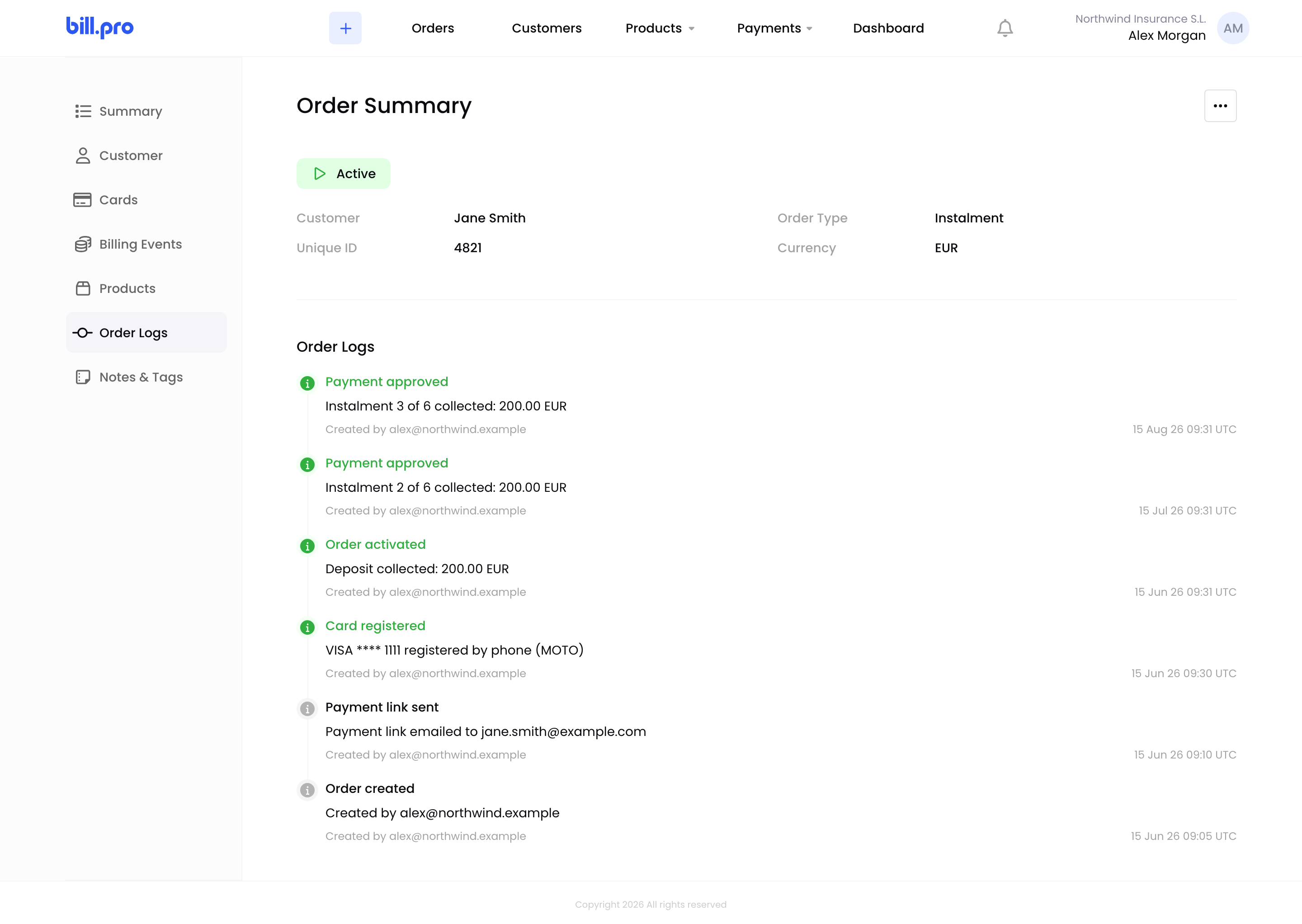
A card registration in the order log
You can also see all of a customer's cards in their account. See Manage customer cards.
Card registrations (RG) and pre-authorisations (PA) also appear in Payments › All Processed. See Display all processed transactions.
Updated 24 days ago
Recommended reading
Display transactions related to an order