

Overview
An overview of BillPro's dashboard that displays data about orders and payments
The Dashboard gives you an overview of your orders, payments, customers and products. To open it, click Dashboard on the navigation bar.
You need an admin or accountant role to see the dashboard. See Manage users.
For the complete documentation index, see llms.txt
Home
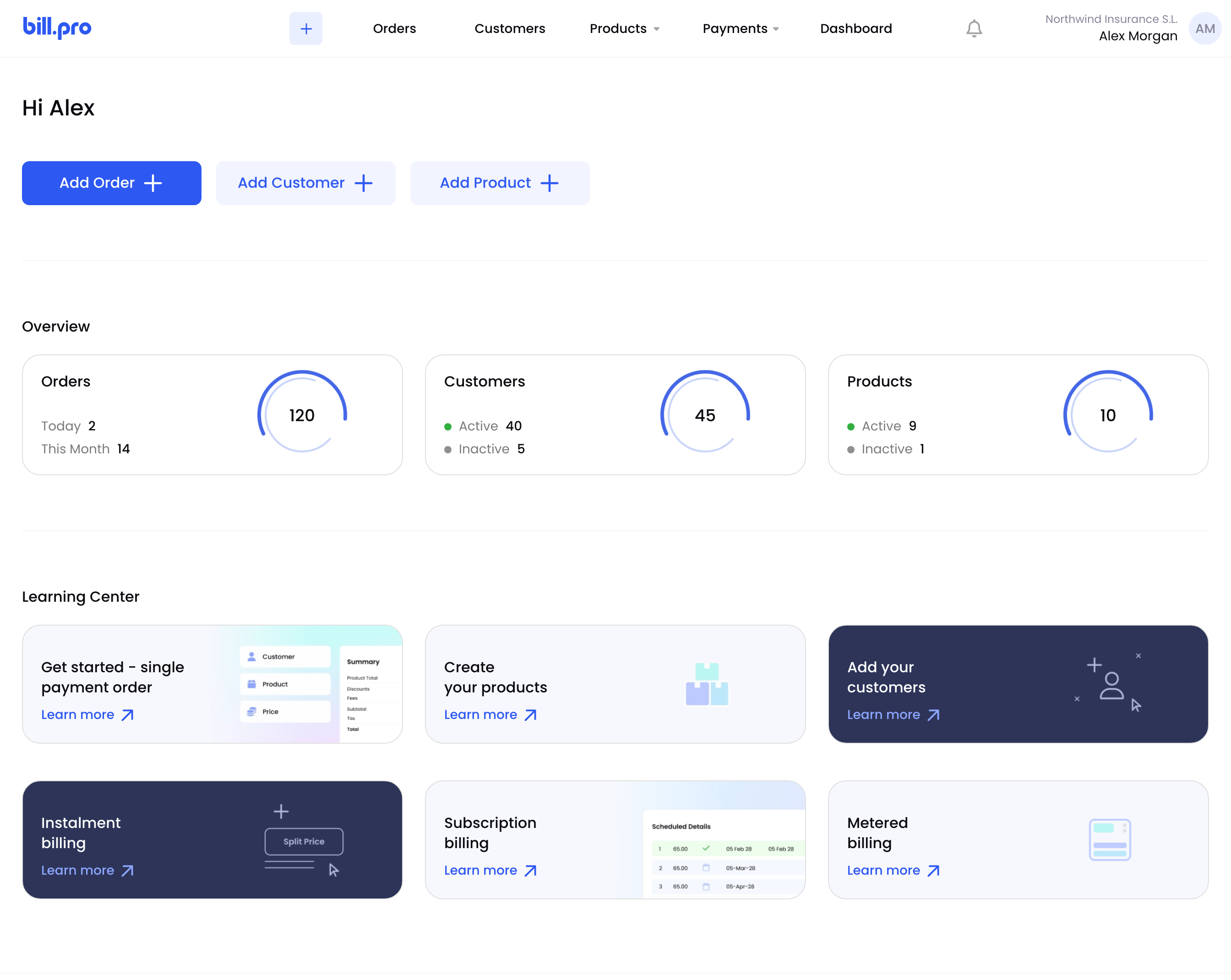
When you sign in, BillPro opens Home. It has buttons to add an order, customer or product, an Overview of your orders, customers and products, and a Learning Center with links to these guides.
Home
Orders and payments
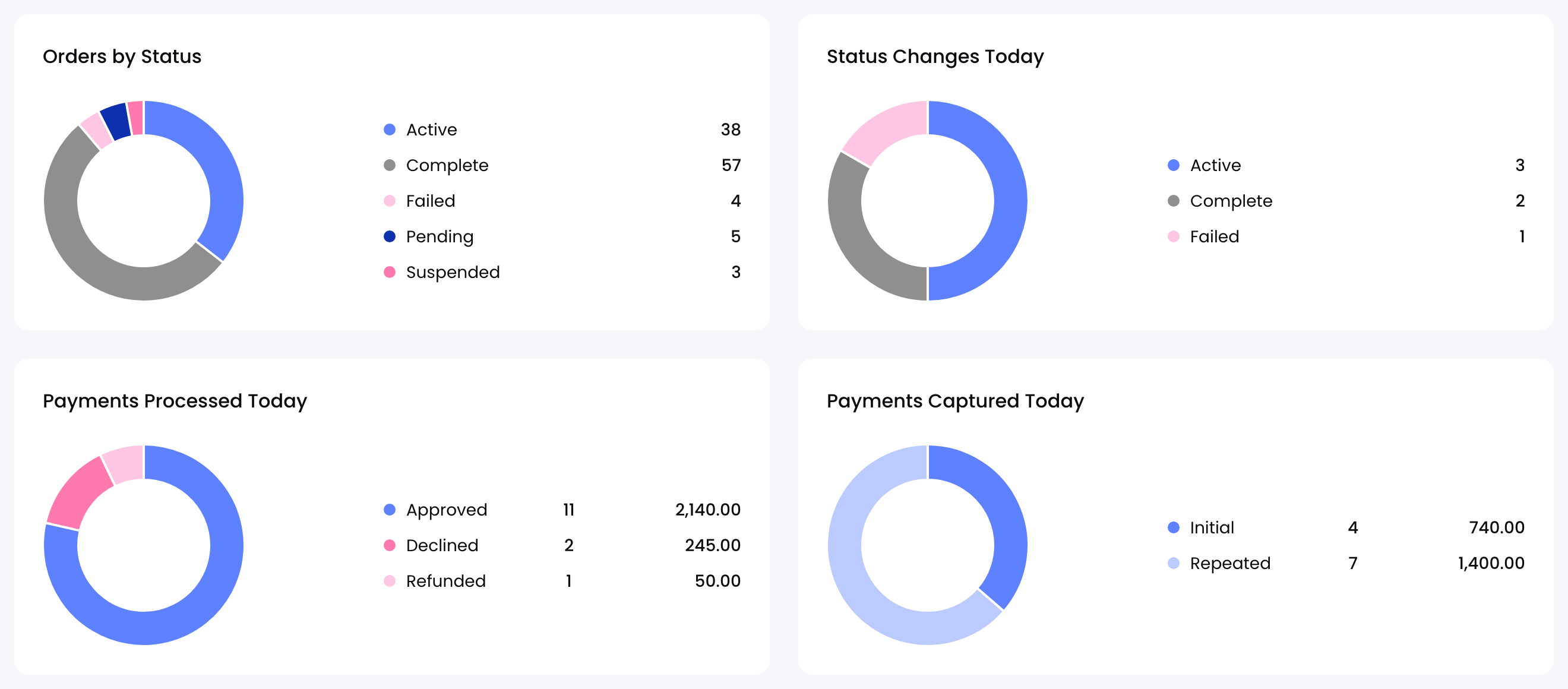
The top row shows orders by status, today's status changes, and the payments processed and captured today. See Orders and payments.
Orders and payments
Chargebacks, fraud and platform statistics
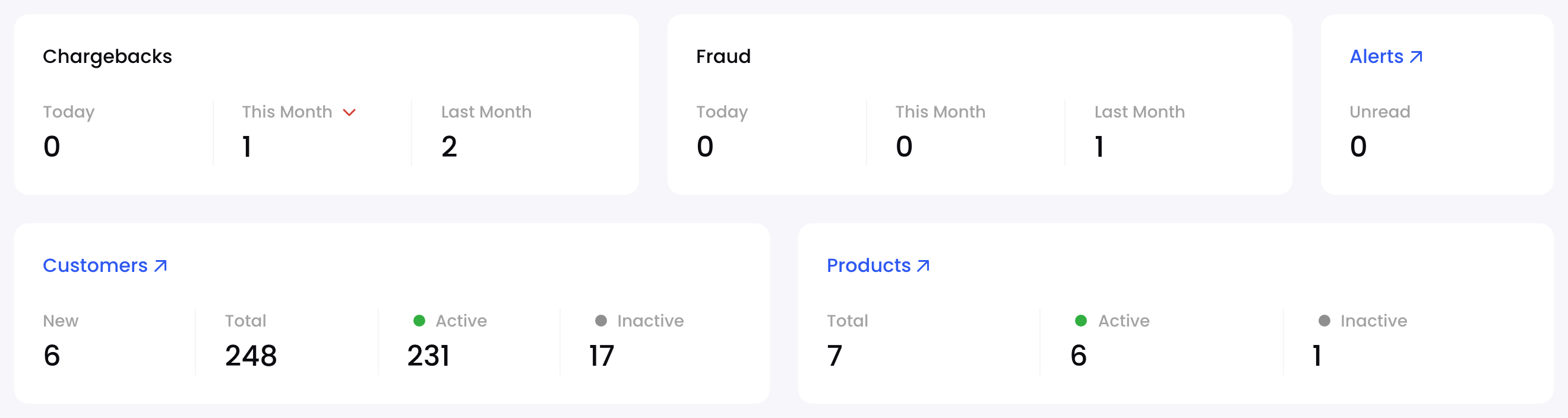
The next row counts chargebacks and fraud, unread alerts, customers and products. See Platform statistics.
Chargebacks, fraud and platform statistics
Processed transactions
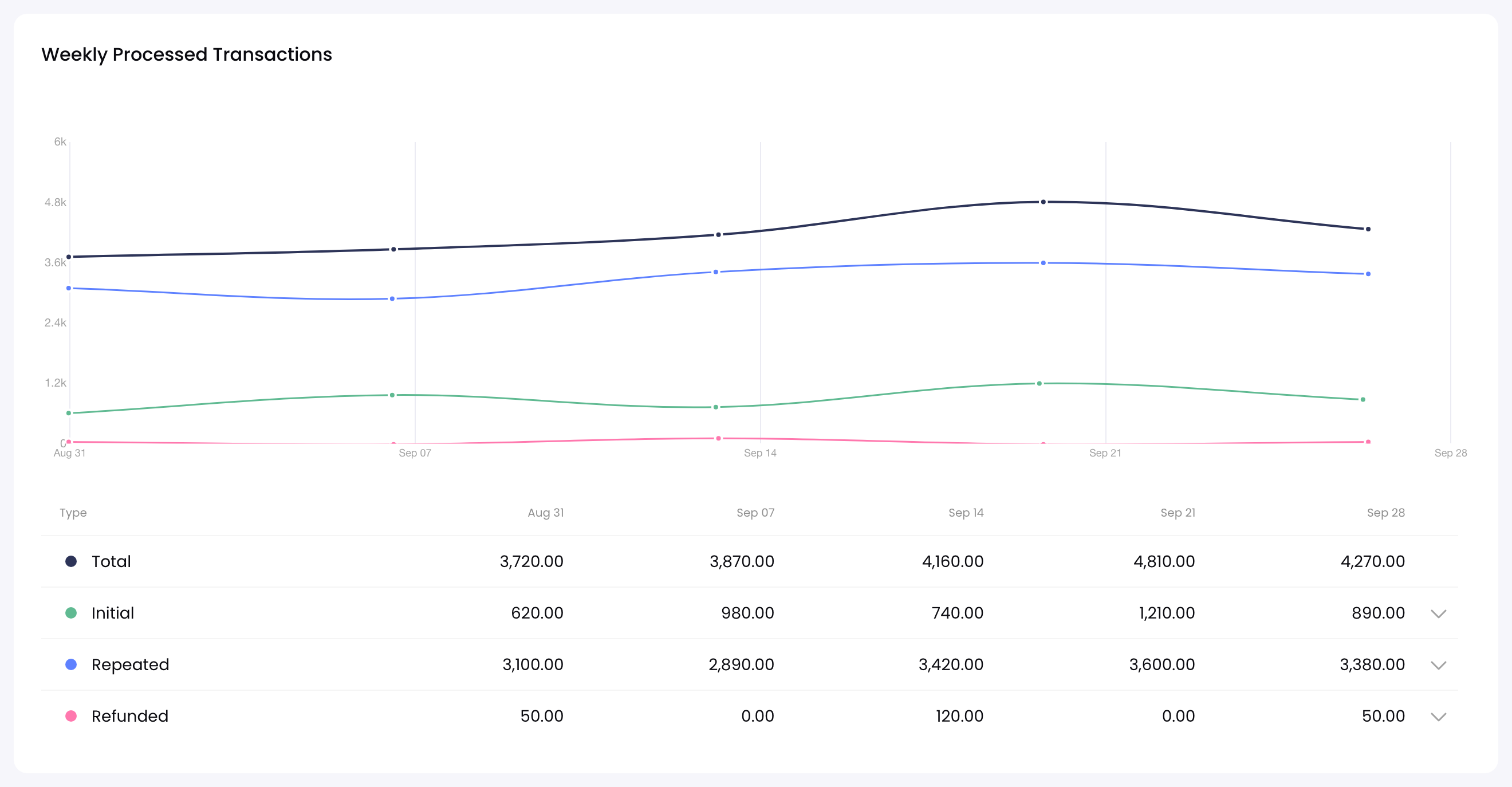
A chart of the payments collected and refunded. See Processed transactions.
Processed transactions
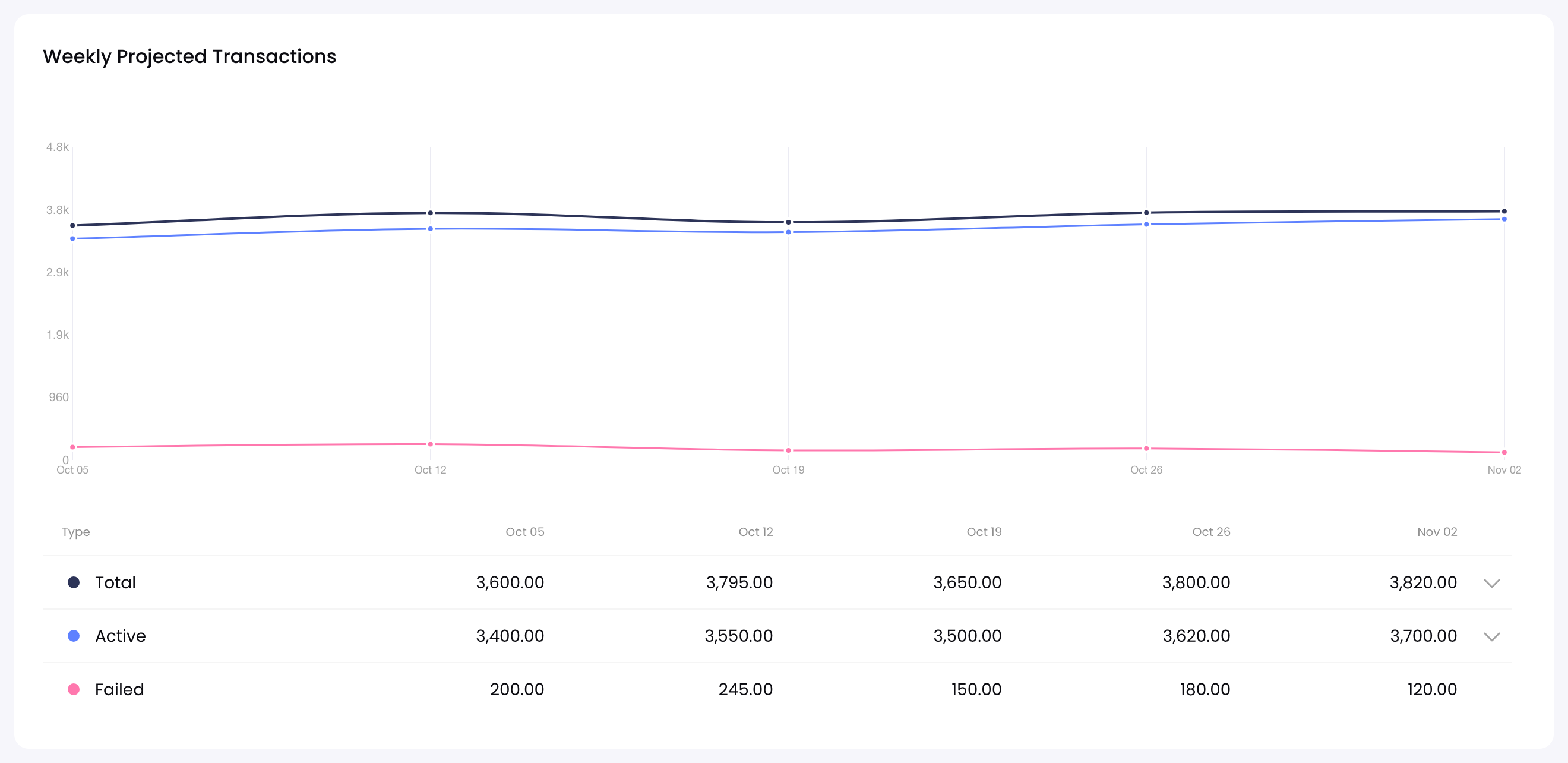
Projected transactions
A chart of the payments scheduled for active and failed orders. See Projected transactions.
Projected transactions
Updated 1 day ago
Recommended reading
Find out more about the dashboard sections