

Sign up for BillPro
Create your BillPro account and connect CardCorp to go live
Sign up for BillPro in two steps, then connect a CardCorp merchant account to start taking payments.
1. Create your account
- Go to the BillPro sign-up page.
- Enter your Email and choose a Password of at least 6 characters.
- Optional: select Send me helpful tips, feature updates and occasional offers.
- Click Sign Up. Signing up means you agree to the BillPro terms and privacy policy, and to receive essential emails such as onboarding emails.
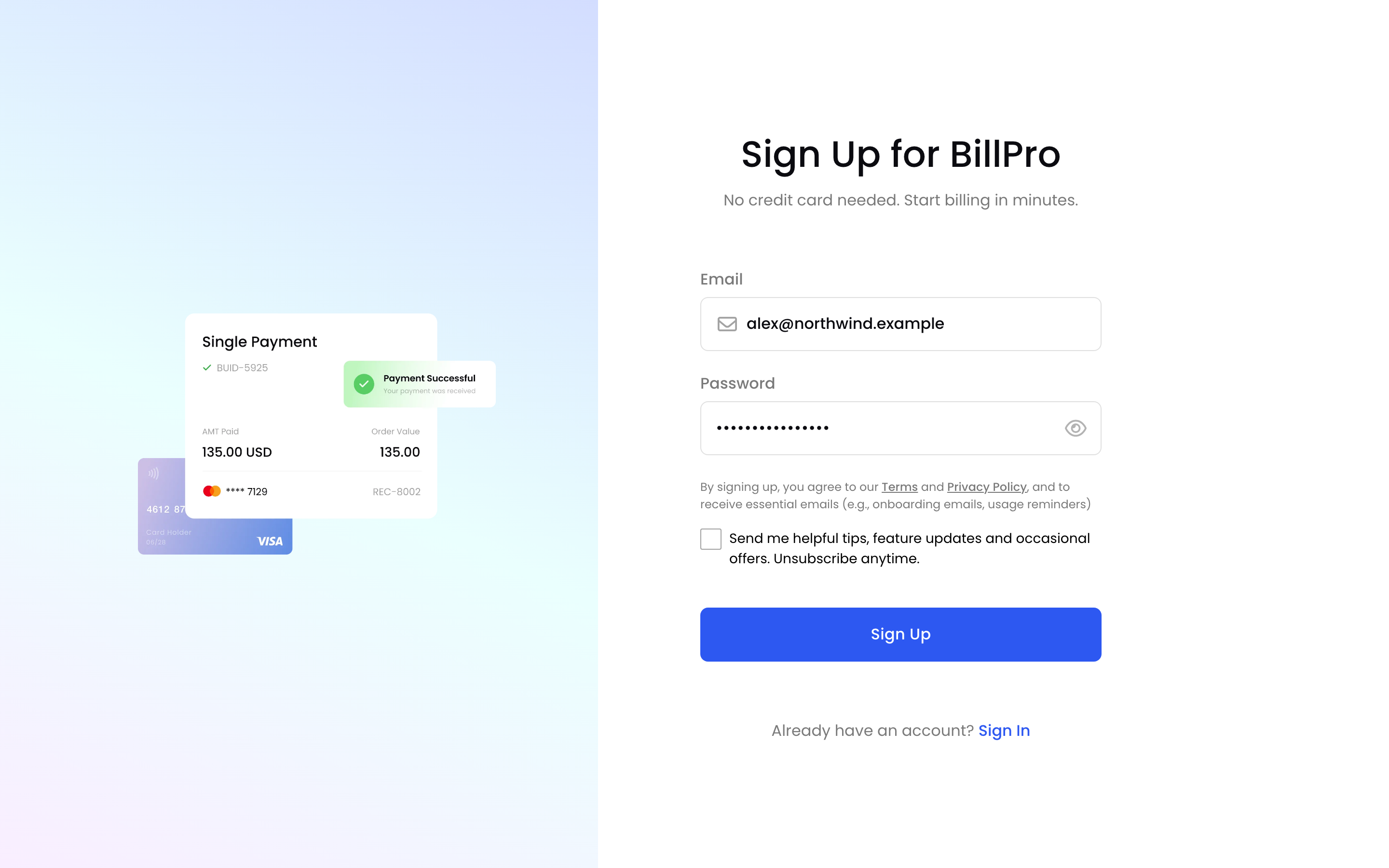
Create your account
Already have an account? Click Sign In.
2. Tell us about your business
- Enter your First Name and Last Name.
- Enter your Company Name and choose the Registered Country.
- Enter your Website or Social Media URL.
- Enter your Monthly Sales Volume: your total sales in a month, in your local currency.
- Click Get Started.
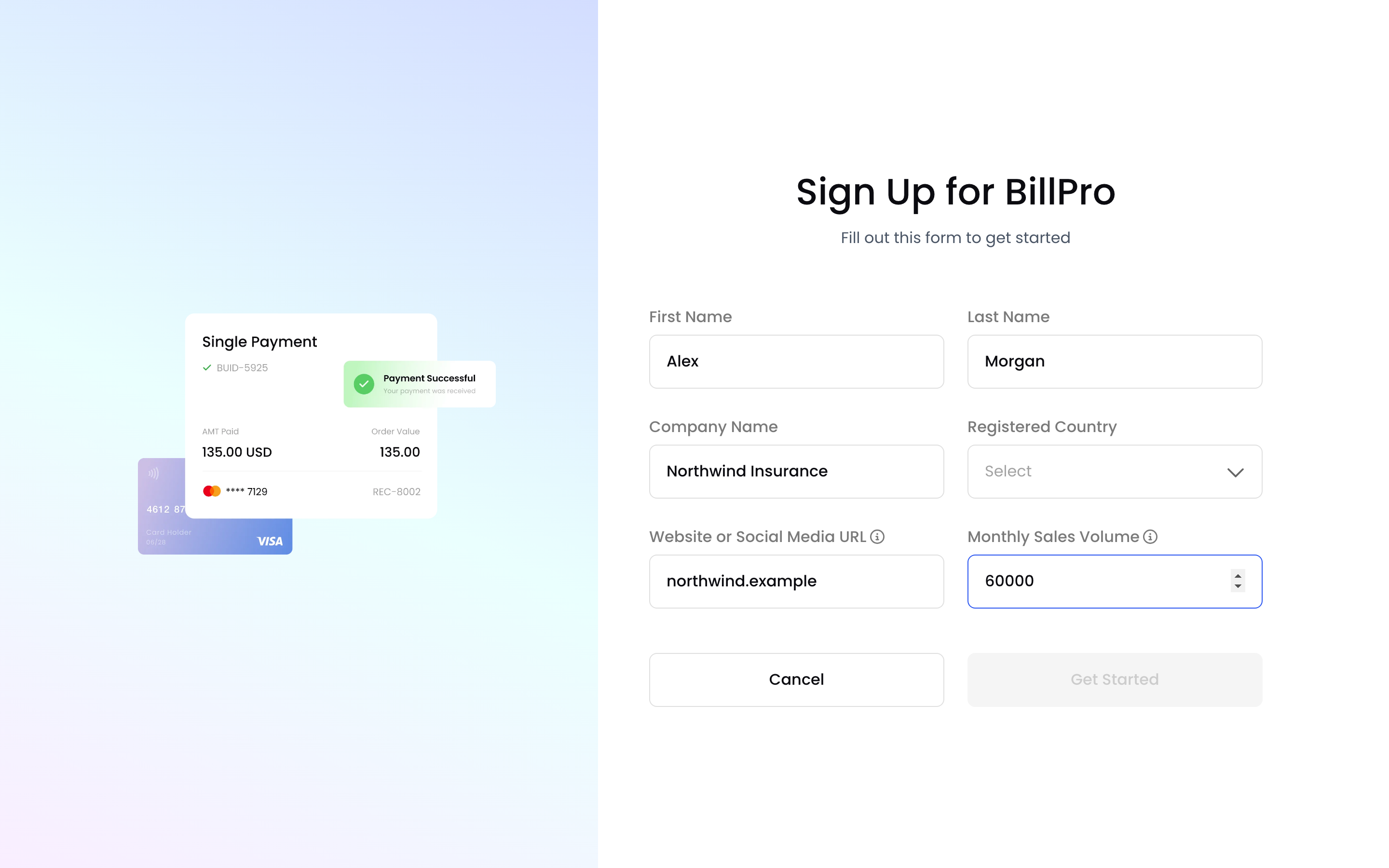
Your business details
BillPro creates your merchant profile and opens Home.
3. Connect CardCorp to go live
Until your CardCorp merchant account is connected, BillPro shows Connect CardCorp to go live! at the top of every page, and you can't take payments yet.
- On Home, under Apply with CardCorp, click Connect CardCorp.
- Fill in the application form.
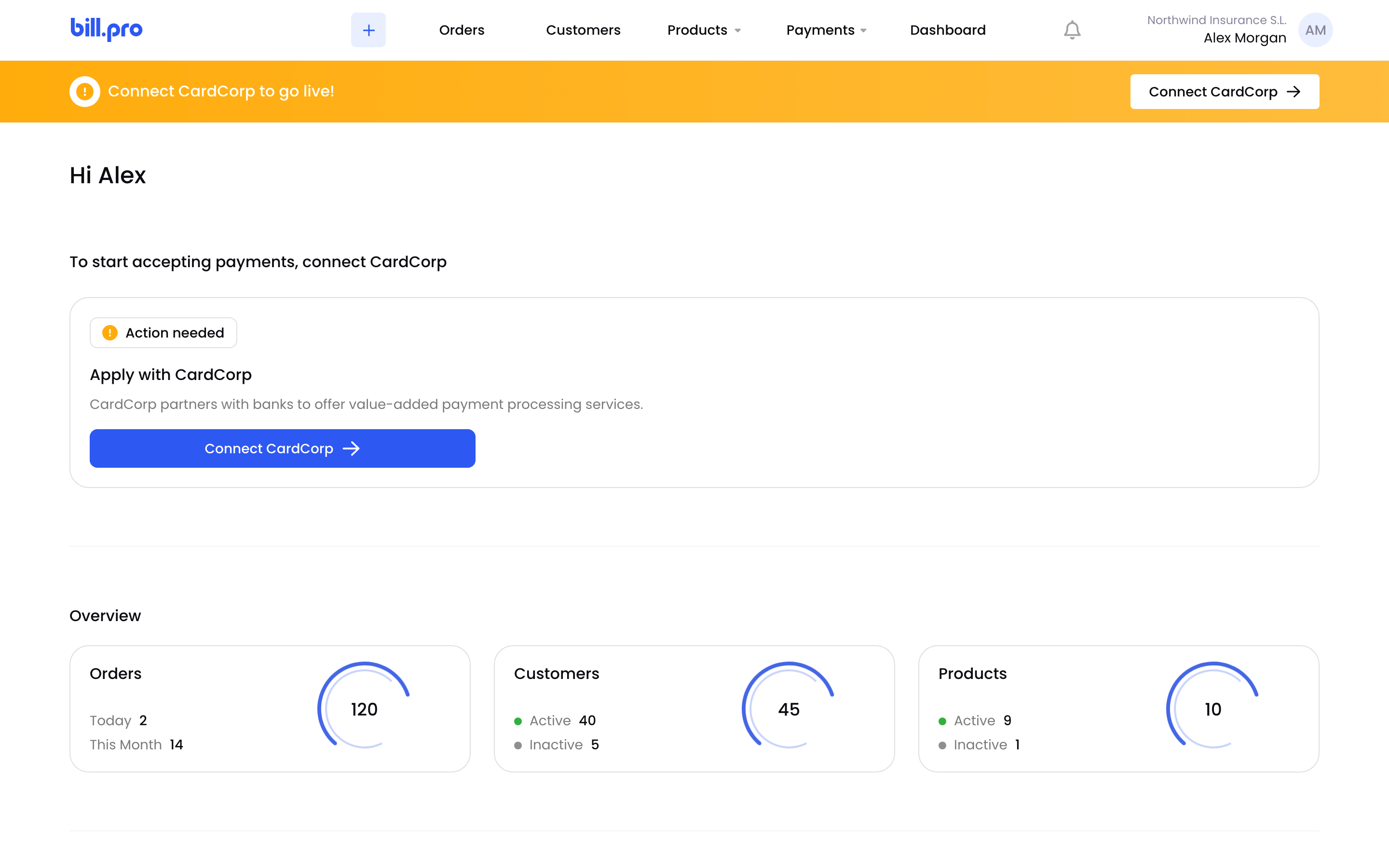
Connect CardCorp
While CardCorp reviews your application, the banner says your application is in review. When your account is live, the CardCorp Merchant Support team configures it. See Configure BillPro with CardCorp.
4. Get started
When you're live, Home shows How to Get Started: create a product, add a customer, and create an order. The Learning Center links to guides for each purchase type.
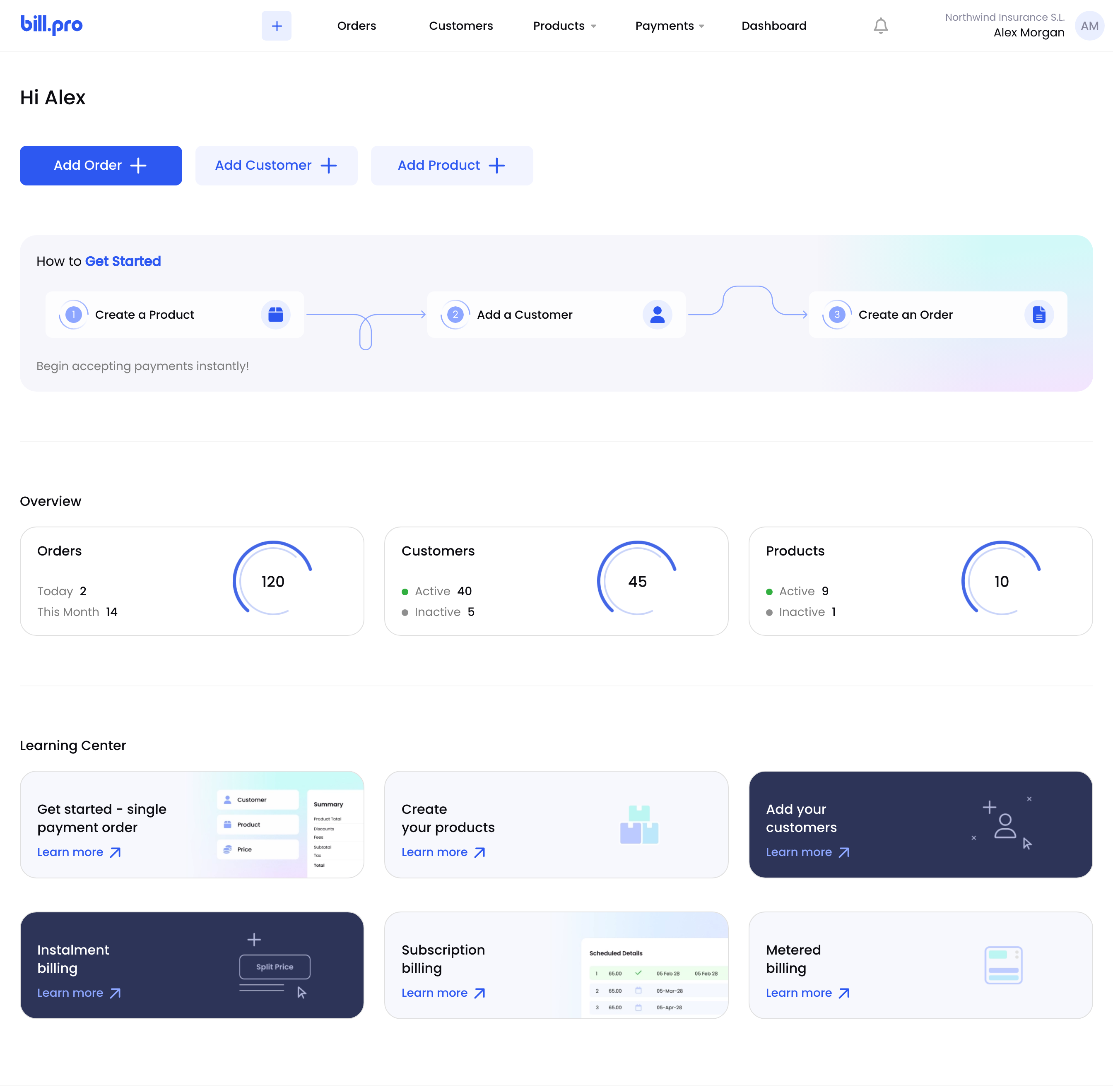
How to get started
To create your first order, see Create your first order.
Updated 1 day ago