
Order portal checkout
Custom checkout page for each order
From a payment link, your customer accesses the Checkout.
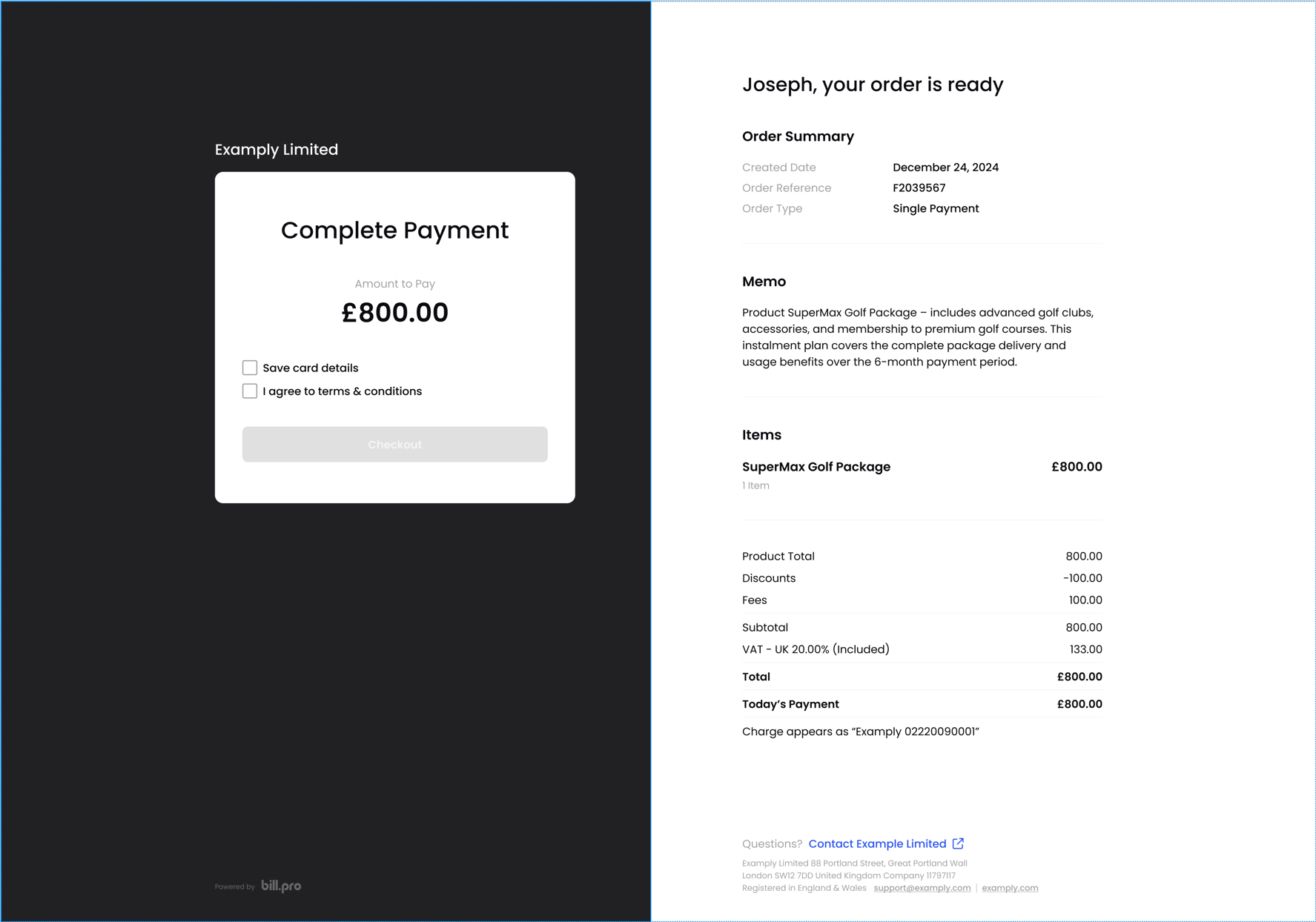
The checkout displays the order details, which have different data and formatting for each purchase type.
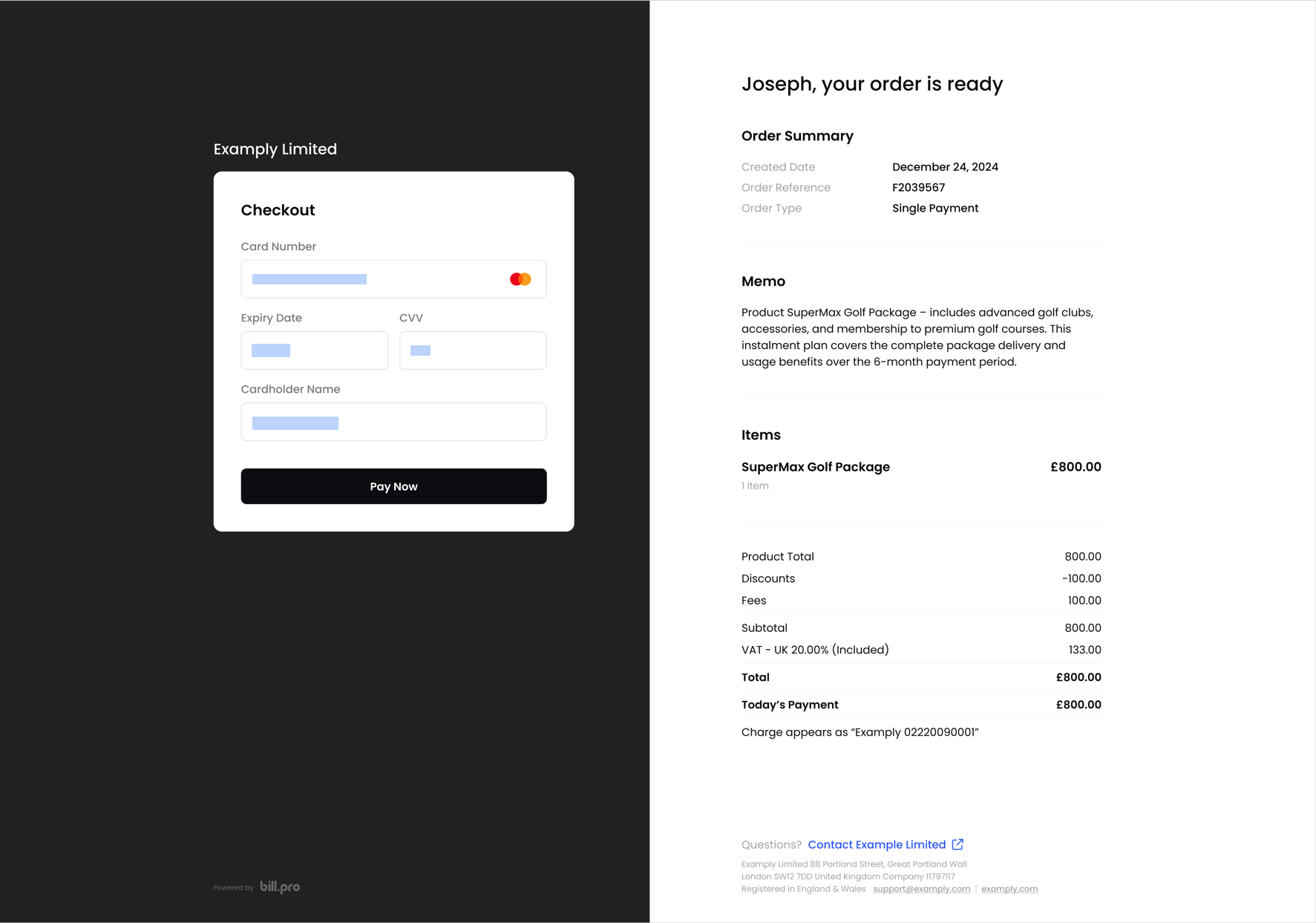
The customer can make a payment or register a card in the secure payment form.
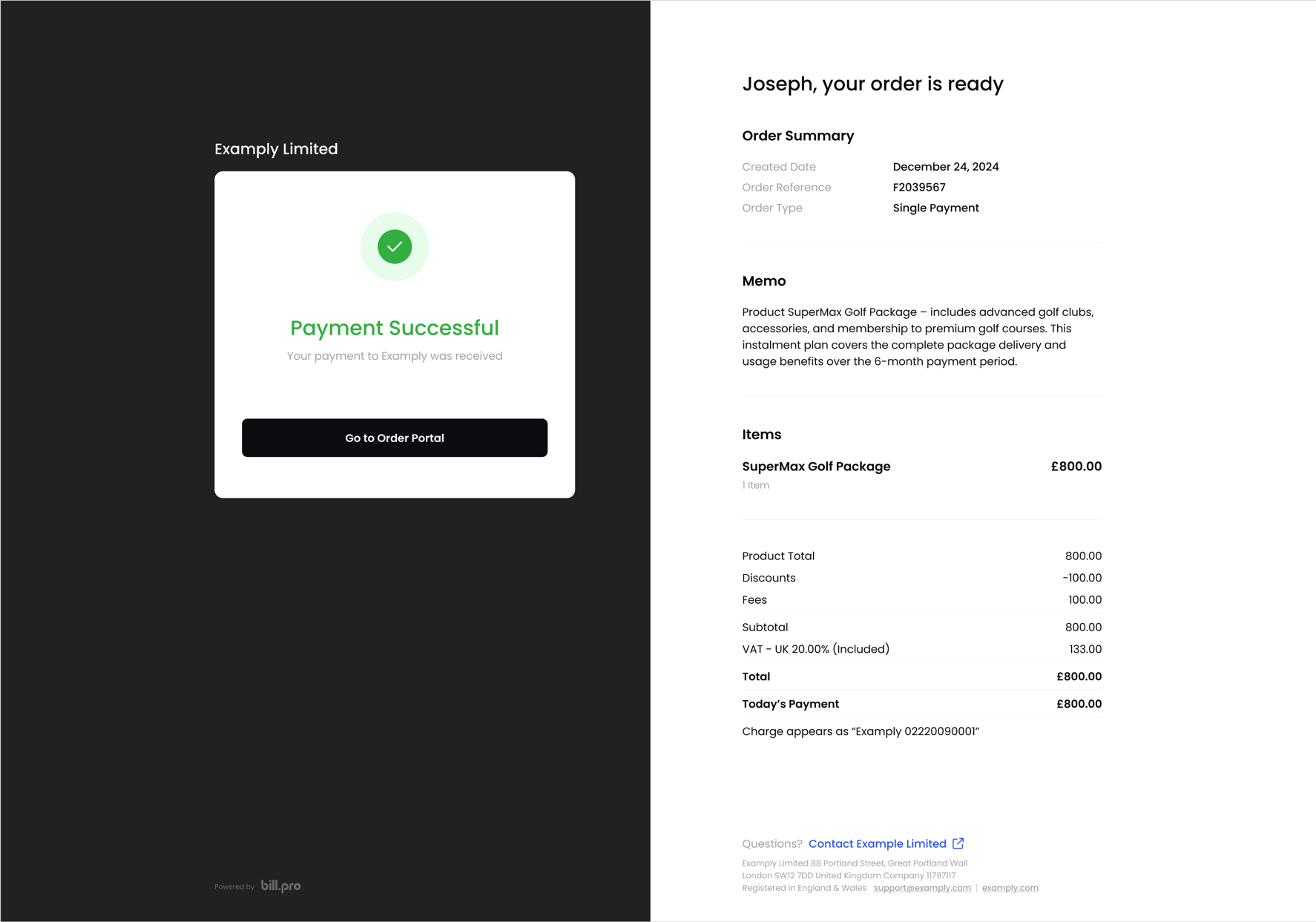
After the payment or card registration succeeds, the checkout will display the success message and the order details.
This includes the amount paid, refunded or credited, any skipped payments, and the balance of an instalment order. And the customer can click the button to Go to Order Portal.
Updated 9 months ago
Did this page help you?