

Details views
Display order details, invoice details, and credit note details
From the main order screen, the customer can open detailed views of the order and each payment.
Order details view
The order details view shows the whole order: the summary, memo, items, amounts, and the amount paid, refunded and still due. The customer clicks Download Summary for a PDF.
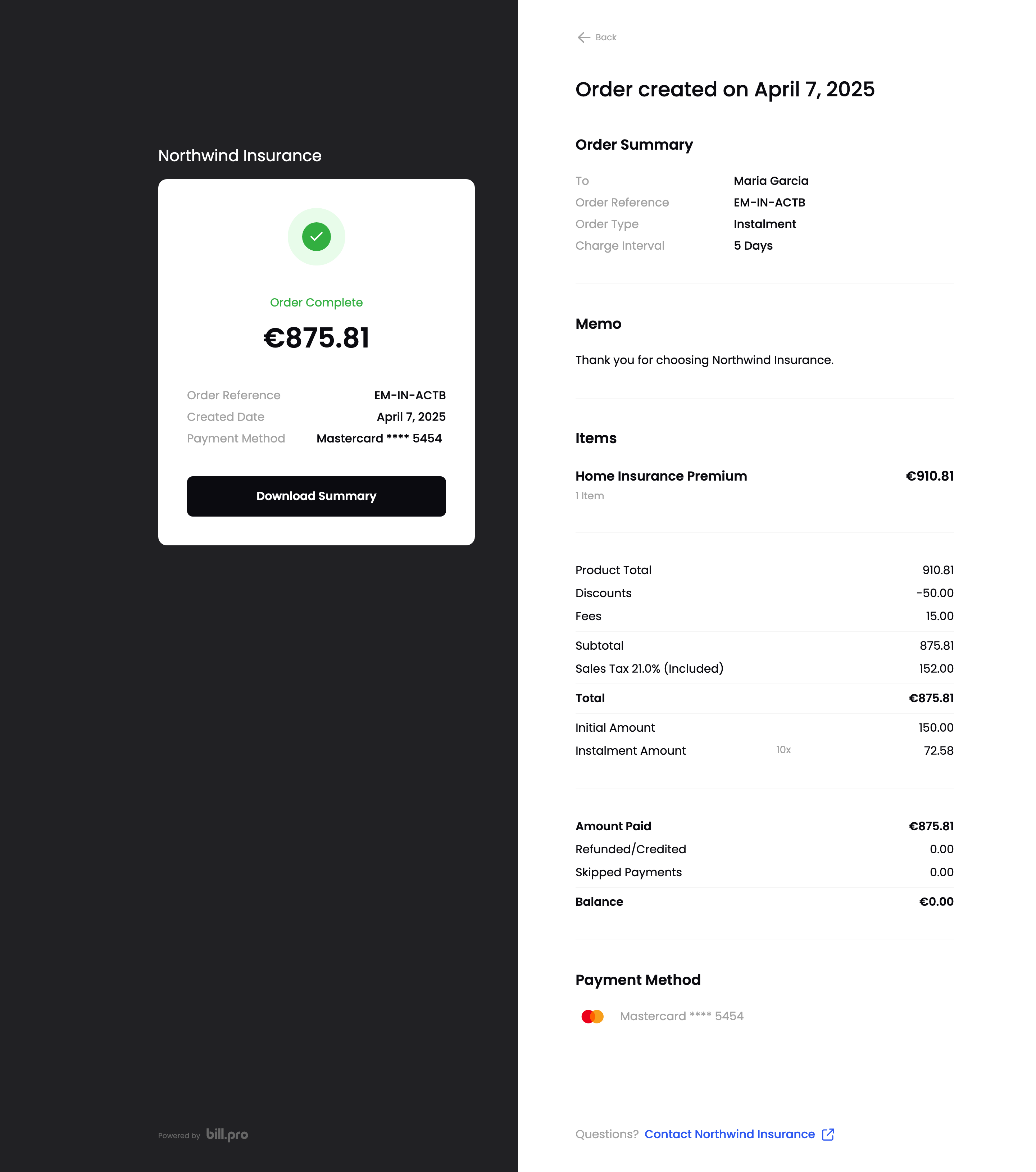
Order details
Invoice details view
For a paid payment, the invoice details view shows the payment and the order items. If you turned on PDF invoicing, the customer can click Download Invoice and Download Receipt. See Activate PDF invoices, receipts, and credit notes.
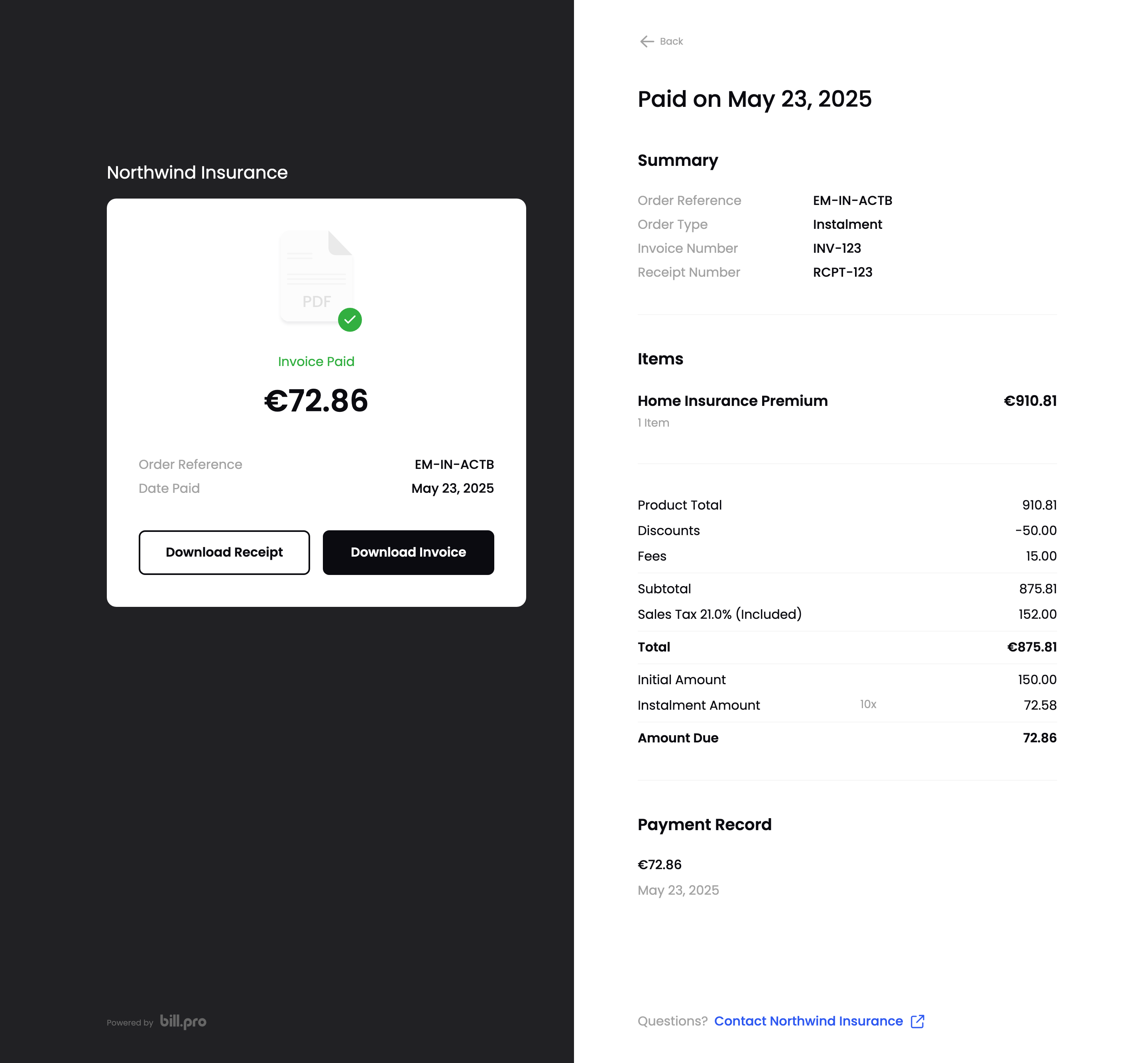
Invoice details
For a declined payment, the customer can see the details, but there's no invoice or receipt to download.
Credit note details view
For a refund, the view shows the credited amount. The customer can click Download credit note.
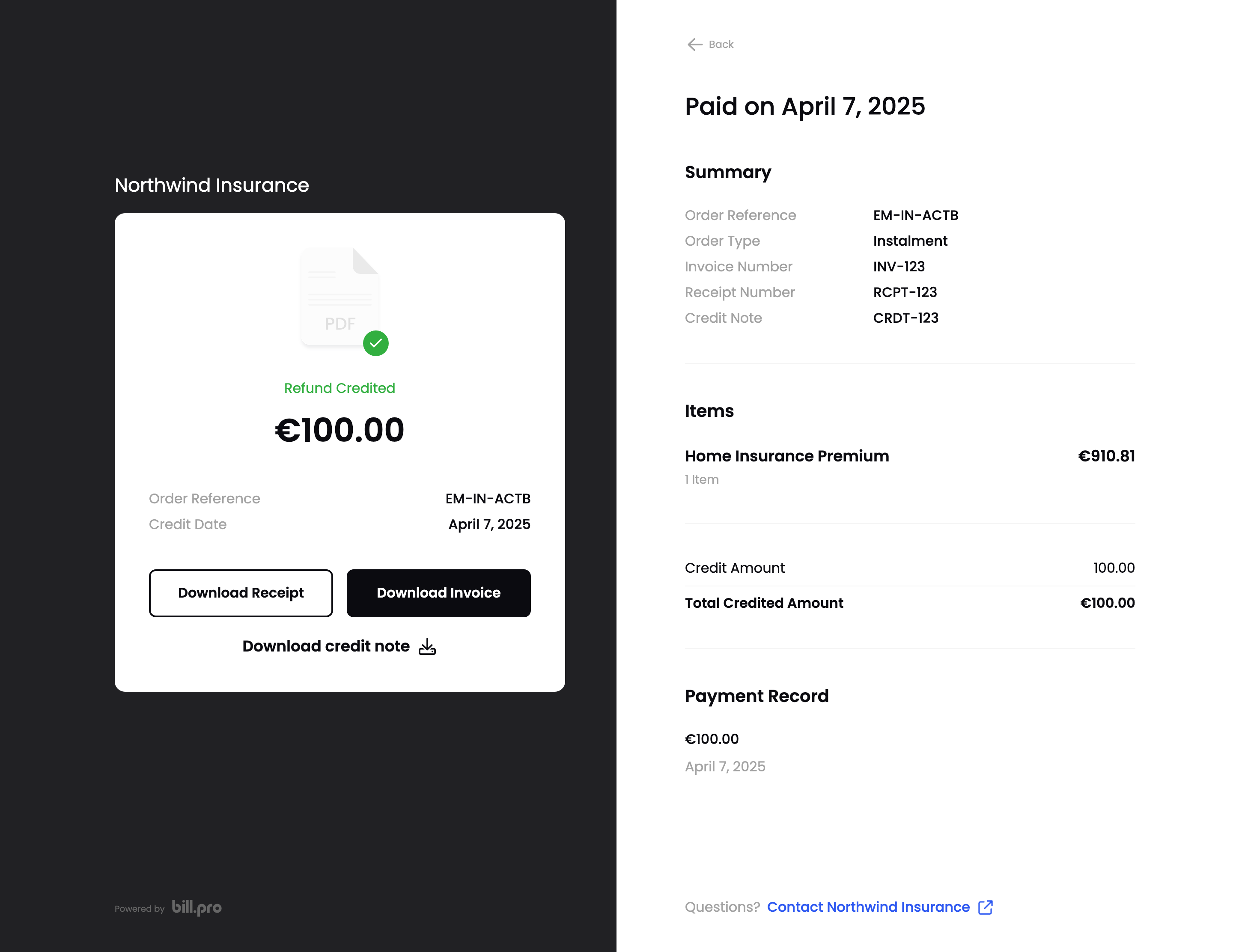
Credit note details
Updated about 1 month ago